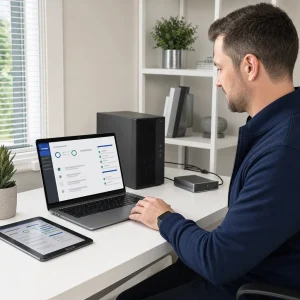
In today’s digital world, computer maintenance can’t be overemphasized. Many of us rely on our computers for personal and professional use, yet we neglect the care they need to run smoothly.
We assume our computers will work fine without any intervention, but that’s a misconception that can lead to performance issues and eventually costly repairs.
Maintenance is like a health check-up for your body; it makes sure everything is working as it should and helps you identify problems before they become big.
By understanding maintenance, you can protect your investment, improve performance and extend the life of your device.
What is Computer Maintenance?
Computer maintenance means various practices to ensure both hardware and software are working optimally. It can be divided into two types: preventive and corrective maintenance.
Preventive maintenance is regular tasks that prevent problems, like software updates and hardware cleaning, while corrective maintenance is repairs done after a problem has occurred.
Understanding the difference between these two is important for any computer user. Preventive measures can save time and money as it reduces the chance of major failures.
Corrective maintenance often costs more and can lead to longer downtime which is very bad for businesses that rely on their technology.
Benefits of Maintenance
One of the biggest benefits of regular maintenance is improved performance. Over time systems can become slow due to software bloat, fragmented files or malware.
Regular maintenance tasks like disk clean-ups, defragmentation and malware scans can speed up your computer and make your work environment more efficient.
Also, regular maintenance can extend the life of your computer. Just like exercise and a balanced diet contribute to our health, consistent care and maintenance of your device can prevent wear and tear.
By investing time in maintenance you can avoid premature replacement save money and reduce electronic waste.

Maintenance Practices
Key maintenance practices are keeping software up to date, doing regular virus scans and cleaning hardware components. Software updates are important as they often include security patches and performance improvements.
Ignoring these updates can leave your computer vulnerable to cyber threats and reduce its performance.
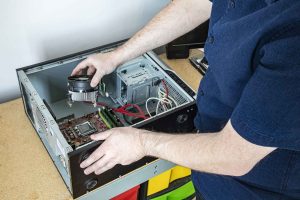
Cleaning hardware is just as important. Dust and debris can accumulate inside computers and cause overheating and damage to sensitive components. Users should clean their machines regularly, and focus on fans, vents and external surfaces.
By following these key practices you can maintain optimal performance and extend the life of your device.
Maintenance Schedule
Having a maintenance schedule can help you manage your computer care. Different tasks should be done at different frequencies; daily virus scans may be needed, while software updates can be done weekly.
Monthly clean-ups can ensure both software and hardware are in top shape.
To keep track of these tasks, you can use reminders or checklists. This structured approach makes it easy simplifies the process and helps you prioritize maintenance amidst a busy schedule.
By following a maintenance schedule regularly you will develop good habits and your computer will always be in working order.

Conclusion
In short, regular maintenance is key to performance, longevity and cost savings. By knowing what maintenance is and following key practices you can prevent common problems that come from neglect.
Having a maintenance schedule will make it even simpler and maintenance will become part of computer ownership.
Prioritize regular maintenance and you will not only save your investment but also your overall digital life. Start now and enjoy a well maintained computer for years to come.