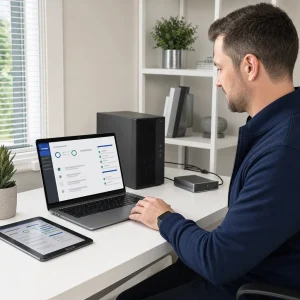
Getting the best performance from your PC is essential whether you’re chasing high frame rates in the latest games or working on demanding creative projects.
A well-optimised system not only feels faster but also reduces frustration, allowing you to focus on what you enjoy rather than waiting on slow loading times or system hiccups.
Small improvements often make a noticeable difference, giving your machine a new lease of life without the need for expensive upgrades straightaway.
Optimisation isn’t just about speed; it’s also about stability and longevity. A computer that runs efficiently is less likely to overheat, crash, or suffer from unnecessary strain.
By taking a structured approach to upgrades, settings, and maintenance, you can build a system that performs reliably for years, handling everything from fast-paced gaming sessions to intensive editing workloads.
Assess Your Current System
Before making any changes, it’s helpful to understand what hardware you’re currently working with. Checking your processor, RAM, storage type, and graphics card will reveal where you may have limitations.
Tools built into Windows, as well as third-party system information utilities, can give you a clear overview of your system’s capabilities and any areas that might need attention.
It’s also wise to look for performance bottlenecks. For example, you may have a strong graphics card being held back by slow storage or insufficient RAM.
By identifying the parts of your system that cause slowdowns, you can make informed decisions about upgrades or focus your optimisation efforts on the areas that will deliver the biggest improvement.
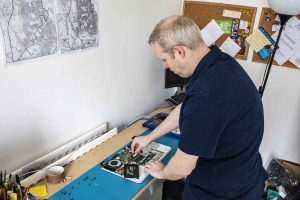
Essential Hardware Upgrades
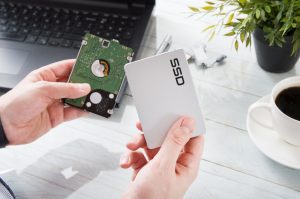
Switching from a traditional hard drive to an SSD is one of the quickest ways to improve overall system responsiveness.
SSDs dramatically reduce loading times in games and speed up tasks such as opening large creative files. Even a modestly priced SSD can make your entire system feel far more modern and responsive.
For gaming and creative tasks, sufficient RAM is also important. Gamers will often find that 16GB is enough for most titles, while video editing, 3D rendering, and other creative work may benefit from 32GB or more.
A capable graphics card is equally important, especially for high-end games or GPU-accelerated creative applications.
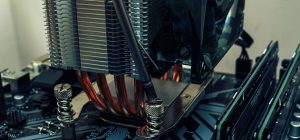
Don’t overlook cooling either, as better airflow or an upgraded CPU cooler can help your hardware maintain peak performance.
Optimising Your Operating System
An updated operating system is essential for both performance and security. Keeping your system patched ensures compatibility with the latest software and improves efficiency under the hood.
Removing unnecessary start-up programs also helps your PC boot faster and frees up system resources for tasks that matter.
Background processes can quietly drain performance, so it’s worthwhile to review what’s running behind the scenes.
Regularly updating your drivers, especially your graphics card driver, helps maintain stability and ensures your system is making full use of its hardware capabilities.
Many issues in games or creative software can be resolved simply by keeping drivers current.
Configuring Your Software
In-game settings can have a significant impact on performance, and small tweaks can smooth out gameplay without compromising visual quality.
Adjusting texture settings, resolution scaling, and shadow quality often results in much more stable frame rates. Modern games also offer performance presets, which are helpful starting points for fine-tuning.
Creative applications also benefit from proper configuration. Adjusting cache locations, allocating more memory, or enabling GPU acceleration can greatly speed up editing, rendering, and exporting tasks.
Ensuring your software is set up to take advantage of your hardware reduces wait times and helps improve overall workflow efficiency.
Improving System Cooling and Airflow
Dust can accumulate quickly inside a PC, blocking airflow and causing temperatures to rise. Regular cleaning helps fans and heat sinks work efficiently, reducing the risk of thermal throttling.
Simply removing dust can noticeably lower temperatures, keeping performance steady during demanding workloads.
Improving airflow with additional fans or better positioning can also help maintain cool, stable operation.
Monitoring your system temperatures with free software lets you spot overheating issues early. Keeping components cool boosts both performance and hardware longevity.
Storage and File Management
A tidy storage system helps everything run more smoothly. Organising your game libraries, project files, and software keeps your drives from becoming cluttered and reduces loading times.
Removing unused files and uninstalling old software frees up space and improves drive performance.
For large creative projects or extensive game collections, external or cloud storage can be incredibly useful. Offloading older or less frequently used files prevents your main drive from becoming overloaded.
This approach keeps your system responsive while ensuring important files remain accessible when needed.
Regular Maintenance Tasks
Routine system maintenance helps keep performance consistent. Running regular malware scans protects your machine from threats that could slow it down or cause data loss.
Ensuring your software and firmware remain up to date also brings performance improvements and stability enhancements.
Physical maintenance matters too. Dusting your PC, checking cable placement, and ensuring fans spin freely all contribute to better airflow and system health.
A little attention every few months can prevent problems and significantly improve your computer’s lifespan.
When to Consider a Full Upgrade or New Build
Sometimes incremental upgrades aren’t enough, especially if your system is several years old. When key components such as the processor or graphics card are outdated, upgrading them individually may not provide the performance jump you’re hoping for.
In these cases, a more comprehensive rebuild could be the better long-term option.
Comparing the cost of multiple upgrades with the price of a new build can help you make the right decision.
A fresh system can offer much stronger performance, improved power efficiency, and better future-proofing.
While it’s an investment, it often provides the most noticeable improvement for both gaming and creative work.
Conclusion
Optimising your PC isn’t a one-off task but an ongoing process that keeps your system running at its best.
From analysing your current setup to making thoughtful upgrades and maintaining your hardware, each step contributes to smoother performance and a more enjoyable experience.
With the right combination of improvements and regular upkeep, your PC can handle demanding games and creative applications with ease.
A little effort goes a long way, and the results can transform how your computer feels and performs every day.