
Wi-Fi Problems at Home? How to Fix Slow or Dropped Connections

Facebook
Twitter
LinkedIn

Whether you’re working from home, streaming your favourite series, or gaming online, nothing is more frustrating than slow Wi-Fi or a connection that keeps dropping out. In today’s world, a reliable internet connection is as essential as electricity — so when it doesn’t work properly, it can bring daily life to a halt.

The good news is that most Wi-Fi issues have common causes, and with the right steps they can often be fixed. In this article, we’ll look at why your Wi-Fi might be underperforming, some quick fixes you can try yourself, and when it’s time to call in professional help to get your home network running smoothly.

Why Wi-Fi Goes Wrong

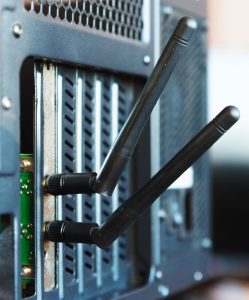
Network card antennas peering through computer caseWi-Fi is convenient because it frees us from cables, but the technology isn’t perfect. A variety of factors can interfere with your signal or slow it down. The most common include:

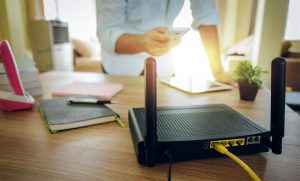
  • Router location – If your router is tucked away in a corner, hidden behind furniture, or stuck on the floor, the signal has more obstacles to pass through. Wi-Fi works best when the router is positioned centrally and in the open.

  • Interference from other devices – Cordless phones, baby monitors, microwave ovens, and even your neighbour’s Wi-Fi network can overlap with your signal, creating interference and reducing performance.

  • Outdated equipment – Older routers may not support the latest broadband speeds. If you’ve upgraded your package but not your hardware, your equipment might be the bottleneck.

  • Too many devices – In modern households, multiple phones, laptops, tablets, TVs, and smart gadgets are all competing for bandwidth. Even a strong broadband package can feel slow if everyone is online at once.

  • Service provider issues – Sometimes, the slowdown isn’t in your home at all. Problems at the broadband provider’s end can affect your speed and stability.
Quick Fixes You Can Try

Before assuming the worst, there are several simple checks and adjustments you can make:

1. Restart your router.
It sounds obvious, but routers can become overloaded over time. Turning it off for 30 seconds and then back on often clears temporary glitches.

2. Move your router.
Position it in a central, elevated location. Avoid hiding it in cupboards or placing it near metal objects that block signals.

3. Switch frequency bands.
Most routers now support both 2.4 GHz and 5 GHz Wi-Fi. The 2.4 GHz band has better range but is slower and more crowded; the 5 GHz band is faster but has shorter range. Experimenting with which band your device connects to can make a difference.

4. Update firmware and drivers.
Check if your router has a firmware update available. Similarly, keeping your laptop or phone’s Wi-Fi drivers up to date helps improve performance and security.

5. Minimise interference.
Keep the router away from microwaves, cordless phones, or thick concrete walls. Simple repositioning often resolves problems.

6. Limit device usage.
If someone is streaming in 4K while others are gaming and downloading files, your Wi-Fi will feel the strain. Scheduling heavy usage at different times can help.

Quick Fixes You Can Try

Wi-Fi Setup In PenrithIf you’ve tried all the above and your Wi-Fi is still slow or unreliable, the issue may be more complex. Persistent problems often require more than a DIY approach. Signs you need extra help include:

  • Your Wi-Fi drops out daily, even after resets.

  • Large parts of your home are “dead zones” with no coverage at all.

  • Speeds are consistently far below what your broadband package promises.

  • Your router is very old and doesn’t support modern standards like Wi-Fi 5 or Wi-Fi 6.

In these cases, a professional can carry out a full survey of your home network. They’ll measure signal strength in different rooms, identify sources of interference, and check whether your equipment is up to the task.

Professional Solutions to Wi-Fi Problems

Technology has come a long way, and there are reliable solutions to most Wi-Fi headaches:

  • Mesh networks – Instead of relying on a single router, mesh systems use multiple access points to blanket your home in strong, consistent Wi-Fi. This is especially useful for larger houses or properties with thick walls.

  • Wi-Fi extenders – A simpler option than mesh, extenders repeat your router’s signal into hard-to-reach areas. They’re not always perfect but can be effective in smaller setups.

  • Wired access points – In some cases, running an Ethernet cable to a separate Wi-Fi access point offers the most stable fix for problem areas.

  • Router upgrades – If your router is years old, replacing it with a newer model that supports faster speeds and the latest security standards can transform your connection.

  • Signal optimisation – Professionals can adjust your router’s settings, such as selecting the least congested channel, to reduce interference from nearby networks.

Why Professional Help Saves Time and Frustration

Wi-Fi problems are notoriously frustrating because the cause isn’t always obvious. You could spend money on gadgets like extenders or new routers, only to find the issue persists.

A professional technician has the right tools and experience to diagnose the exact cause. They can pinpoint whether the problem lies with your router, your devices, your broadband service, or the way your network is set up. This avoids trial-and-error fixes and ensures you only pay for the solution that actually works.

Summary

Slow or unreliable Wi-Fi can disrupt work, entertainment, and family life. While many issues can be solved with quick checks like rebooting your router, repositioning equipment, or updating software, persistent problems often require a deeper look. Mesh systems, extenders, router upgrades, and network optimisation can all make a huge difference — but only if they’re correctly chosen and installed.

If your home Wi-Fi is constantly letting you down, don’t put up with the frustration. A reliable connection is too important to leave to chance.

At PC Fixer Computer Repairs, we help households across the region get the fast, dependable Wi-Fi they need. From diagnosing signal issues to setting up advanced home networks, our technicians make sure you stay connected. Contact PC Fixer today and enjoy Wi-Fi that just works.

More to explore

Email us

Get in Touch