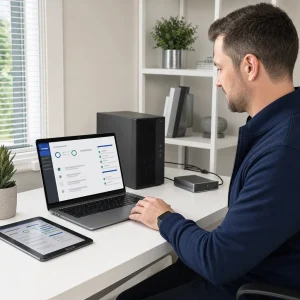
If your computer has been slow lately, an SSD might be the answer. Traditional hard drives (HDDs) have been around for decades, and while they still have their place, they can’t compete with the speed and reliability of modern SSDs.
Whether you’re using a desktop or laptop, swapping out your hard drive for an SSD will make a noticeable difference.
But is it worth the cost and hassle?
In this post we’ll go over what SSDs are, how they compare to HDDs and whether an upgrade is right for you. We’ll break down the benefits and trade-offs so you can decide.
What Is a Solid-State Drive?
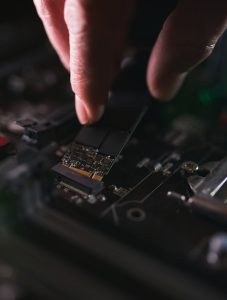
A solid-state drive is a type of storage device that uses flash memory to store data. Unlike a traditional hard drive, it has no moving parts so it’s much faster and less prone to physical failure.
SSDs have become common in modern laptops and high-end desktops because of their speed and reliability.
There are a few types of SSDs, SATA and NVMe.
SATA SSDs are more affordable and are often used as a direct replacement for old HDDs, NVMe drives are much faster and connect via the PCIe interface. Whatever you choose you’ll see a big jump in performance over a standard HDD.
Speed and Performance Improvements
The most immediate and noticeable improvement from upgrading to an SSD is the speed. Computers with SSDs boot up in a fraction of the time it takes those with HDDs.
Programs open faster, files transfer in seconds not minutes and overall responsiveness is much better.
If you multitask, use design or video editing software or play games, an SSD will make a huge difference. It removes many of the lags and slowdowns of older drives and ensures your system can keep up with your demands.
Reliability and Durability
Because SSDs have no moving parts, they’re much less prone to damage from drops or knocks. This makes them perfect for laptops and portable devices where physical impacts are more likely.
They’re also less likely to fail due to mechanical issues, which is a common cause of data loss in traditional HDDs.
In addition to being more durable, SSDs are generally more reliable over time. They can handle more read/write cycles without slowing down and aren’t affected by fragmentation like HDDs.
This means your computer stays faster for longer with less maintenance.
Energy Efficiency and Noise
Another benefit of SSDs is their energy efficiency. They use less power, so they can extend the battery life of your laptop.
This is especially useful for users who use their devices all day and don’t always have access to a charger.
SSDs are also completely silent. Traditional hard drives with their spinning disks and moving read/write heads make noise during use.
An SSD is silent, which is a nice bonus in both home and office environments.
Storage Capacity and Cost
One of the few downsides of SSDs is the cost per gigabyte. While prices have dropped over the years, they’re still more expensive than HDDs for storage capacity.
For the same price, you’ll get a smaller SSD compared to a much larger HDD.
However, many users find that the speed benefits outweigh the reduction in storage space. You can also use a dual-drive setup—keep your operating system and essential programs on a smaller SSD and use a traditional HDD for large files and backups.
This hybrid approach gives you the best of both worlds.
Is It Worth It for You?
Whether or not an SSD upgrade is worth it depends on you. For general home users, the speed and responsiveness boost alone is often reason enough to switch.
For gamers, creative professionals and business users, the increased performance is crucial for productivity and efficiency.
If your current computer is still in good condition but feels slow upgrading to an SSD is one of the most cost effective ways to breathe new life into it.
But if the machine is several years old and has multiple hardware issues it might be worth considering a full replacement instead.
Getting the Upgrade Done
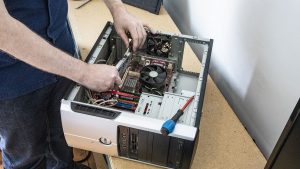
While some tech-savvy users may feel comfortable installing an SSD themselves, it’s not always straightforward, especially when it comes to transferring your data and operating system.
If done incorrectly, it can result in data loss or system errors. That’s why many people choose to have the upgrade done professionally.
Before you upgrade, make sure you back up all your data. Once the SSD is installed, your files and system can be cloned over, or you can start fresh with a clean installation of Windows.
A professional service will make sure everything is set up correctly and your device is running at its best.

Conclusion
In summary, upgrading to a solid-state drive has many benefits—faster speeds, more reliability, more durability and lower energy consumption.
While the upfront cost is higher, most users find the long-term benefits worth it.
If you’re tired of waiting for loading screens or dealing with slow response times, an SSD upgrade might be just what you need.
Contact us today if you’d like to get an upgrade done or just want to chat about whether it’s right for you.